
CNA Practice Test1.9.5 - Google Play
You'll be able to see results in few seconds.
Publisher Description



Do you want to pass the CNA Exam on your first attempt?
A certified nursing assistant, or CNA, helps patients or clients with healthcare needs under the supervision of a Registered Nurse (RN) or a Licensed Practical Nurse (LPN). Also known as a Nursing Assistant (NA) a Patient Care Assistant (PCA) or a State Tested Nurse Aid (STNA), the individual who carries this title needs a strong work ethic and ability, but issues of liability and legality prevent CNAs from performing certain procedures.
CNA Practice Test provides many training questions for people who want to take a test and pass CNA Exam.
Categories:
- Nursing Knowledge
- Role of Nurse Aid
- Nursing Care Skills
Features:
- Over 200 questions to practice with.
- Realistic: Just like the actual test, our practice tests are based on the official test.
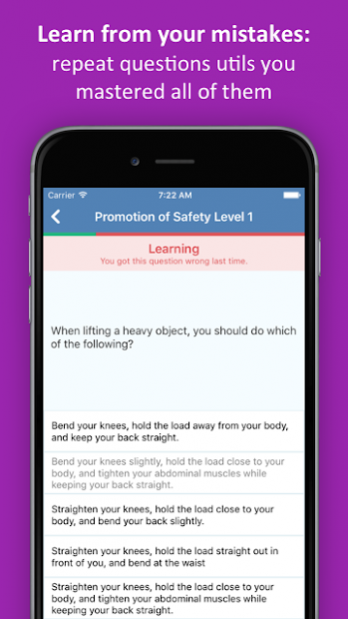
- Detailed explanations: When you make a mistake, the app tells you right away if your answer is wrong and why. You understand and remember every wrong answer.
- Personalized Challenge Bank: a test that's automatically made up of your missed questions from all your practice tests
- New questions every time: To keep you focused, we randomize questions and answers each time you start a practice test.
- No registration required
- Practice reminders
- Track and monitor your progress. Analyse your performance and find out when you have reached test standard.
We'd love to hear from you. Please send your feedback to coco.elearning@gmail.com
About CNA Practice Test
The company that develops CNA Practice Test is MediaLab AI. The latest version released by its developer is 1.9.5.
To install CNA Practice Test on your Android device, just click the green Continue To App button above to start the installation process. The app is listed on our website since 2019-01-24 and was downloaded 0 times. We have already checked if the download link is safe, however for your own protection we recommend that you scan the downloaded app with your antivirus. Your antivirus may detect the CNA Practice Test as malware as malware if the download link to com.coco.cna is broken.
How to install CNA Practice Test on your Android device:
- Click on the Continue To App button on our website. This will redirect you to Google Play.
- Once the CNA Practice Test is shown in the Google Play listing of your Android device, you can start its download and installation. Tap on the Install button located below the search bar and to the right of the app icon.
- A pop-up window with the permissions required by CNA Practice Test will be shown. Click on Accept to continue the process.
- CNA Practice Test will be downloaded onto your device, displaying a progress. Once the download completes, the installation will start and you'll get a notification after the installation is finished.
Program Details
System requirements
Download information
Pricing
Version History
version 1.9.5
posted on 2019-01-24
- Bug fixes and general optimizations
Disclaimer
Official Google Play Link
We do not host CNA Practice Test on our servers. We did not scan it for viruses, adware, spyware or other type of malware. This app is hosted by Google and passed their terms and conditions to be listed there. We recommend caution when installing it.
The Google Play link for CNA Practice Test is provided to you by apps112.com without any warranties, representations or guarantees of any kind, so access it at your own risk.
If you have questions regarding this particular app contact the publisher directly. For questions about the functionalities of apps112.com contact us.
